


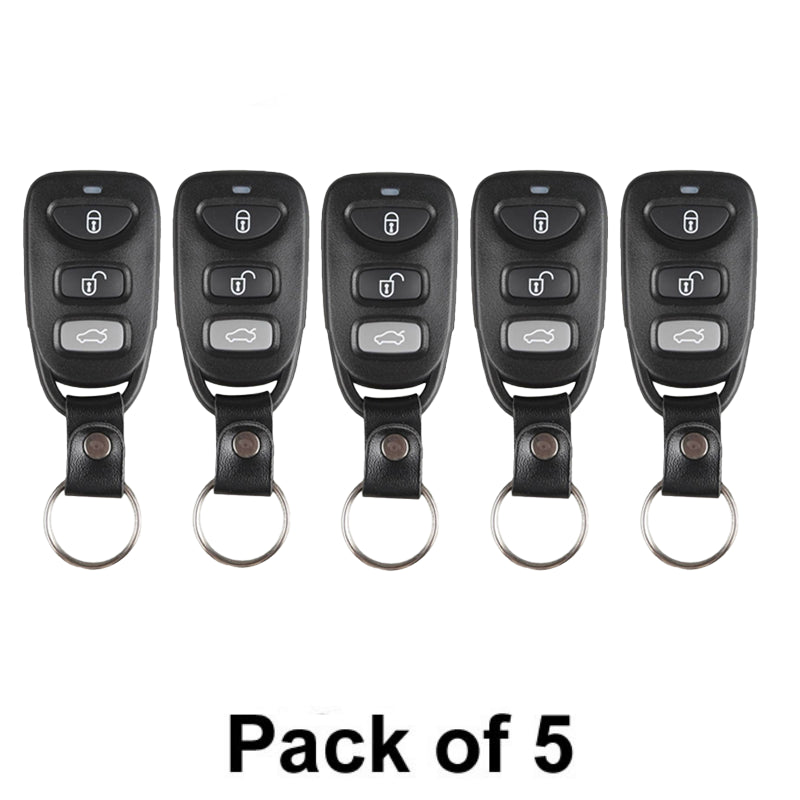
Xhorse - XKHY20EN - Hyundai / 3-Buttons Wired Remote Key (Pack of 5) (Replacement For XKHY00EN)
Xhorse - XKHY20EN - Hyundai / 3-Buttons Wired Remote Key (Pack of 5) (Replacement For XKHY00EN)

$40.80$48.96On Sale
You save $8.16 (17%)
Quantity
Couldn't load pickup availability
- Brand New
- Model: XKHY20EN (Replacement For XKHY00EN)
- Manufacturer: Xhorse
- Compatible w/ Programming Tool VVDI Key Tool
- Battery: CR2032
- Hyundai Style
- Buttons: Lock, Unlock, Trunk
- Connection: Wired
View full details

Details
- Open remote and remove the battery
- Connect the data cable to the white connector on remote PCB board and plug into VVDI Key Tool
- Using the VVDI Key Tool, select Product Remote and select the remote you would like to generate
- Disconnect cable, reinsert battery and reassemble remote
- Program remote to the vehicle as you would an OEM remote
XHS-XKHY00EN
This Pack Includes: 5 x Hyundai Style / 3-Button Universal Remotes
- Brand New
- Model: XKHY20EN
- Manufacturer: Xhorse
- Compatible w/ Programming Tool VVDI Key Tool
- Battery: CR2032
- Hyundai Style
- Buttons: Lock, Unlock, Trunk
- Connection: Wired
- Open remote and remove the battery
- Connect the data cable to the white connector on remote PCB board and plug into VVDI Key Tool
- Using the VVDI Key Tool, select Product Remote and select the remote you would like to generate
- Disconnect cable, reinsert battery and reassemble remote
- Program remote to the vehicle as you would an OEM remote
Specifications
Remote Specifications
- Part Number
- XKHY20EN, XKHY00EN