


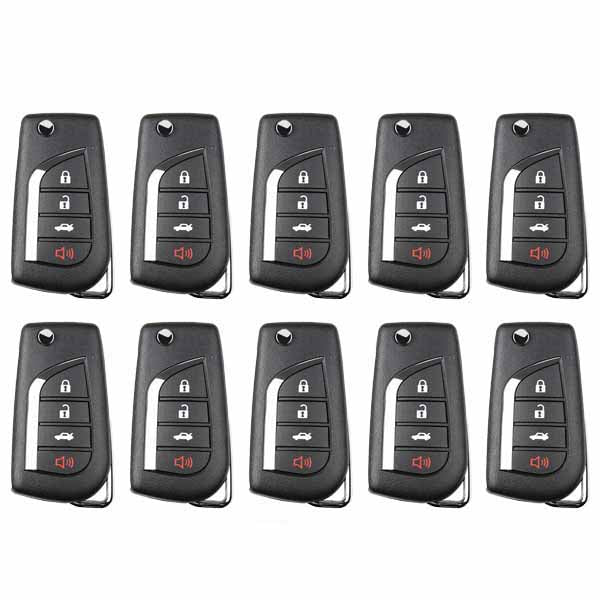
Details
Instructions for Use:
- Open remote and remove the battery
- Connect the data cable to white connector on remote PCB board and plug into your VVDI Key Tool Mini or Max
- Using the VVDI Key Tool, select Product Remote and select the remote you would like to generate
- Disconnect cable, reinsert battery, and reassemble remote. Install proper chip and blade for your application.
- Program to vehicle as you would an OEM remote
PLEASE NOTE THAT THESE REMOTES DO NOT COME WITH BATTERIES or BLADED INCLUDED. YOU WILL NEED TO HAVE THE CR1620 BATTERY READY TO INSTALL YOURSELF.
Note: You may encounter issues programming newer batches of Xhorse remotes if you're using the original VVDI Key Tool. Xhorse no longer supports the original Key Tool, and your machine might falsely identify your remote as being region restricted.
If you have a Key Tool Mini or Max and you're experiencing region lock errors, please submit your machine serial number to Xhorse via the Xhorse app and ask for the region lock to be lifted. Takes about 24 hours. Please speak to your sales rep about upgrading to the Key Tool Mini or Key Tool Max if you're still using the original machine.
Specifications
Remote Specifications
- Part Number
- XKHO21EN, XKHO01EN
Videos
Reviews
Notes
If you have a Key Tool Mini or Max and you're experiencing region lock errors, please submit your machine serial number to Xhorse via the Xhorse app and ask for the region lock to be lifted. Takes about 24 hours. Please speak to your sales rep about upgrading to the Key Tool Mini or Key Tool Max if you're still using the original machine.